Mastering Booklet Design: A Practical Guide for Creators
A well-crafted booklet is more than just a collection of pages; it's a tangible piece of your brand's story. Whether you're creating a product catalog, a workshop guide, a company brochure, or a portfolio, the design is what holds it all together, guiding the reader's eye and conveying professionalism. The challenge for many entrepreneurs, marketers, and creators is achieving that polished, print-ready result without a massive budget or years of design training. This is where a thoughtfully constructed Booklet Design template becomes an invaluable asset, providing a professional foundation that you can confidently build upon.
The Anatomy of a Professional Booklet Template
A high-quality Booklet Design template is built on industry-standard principles that ensure your final product looks crisp and functions flawlessly. Think of it as a blueprint for success. The use of CMYK Color mode is non-negotiable for professional printing, ensuring the colors you see on screen translate accurately to paper. Combined with a 300dpi Resolution and Print Ready settings, you eliminate common pitfalls like blurry images or unexpected color shifts. The dimensions, like 8.5×11 inches (0.25” bleed), are precisely set to meet printer specifications, with margins that protect your critical content.
Beyond technical specs, the real power lies in the file's structure. A Fully Editable, Layered template is a game-changer. Using Adobe InDesign, every element—text boxes, images, color swatches, and graphic styles—exists on its own layer. This means you can easily customize any colors to match your brand palette, swap out placeholder text, and adjust layouts without accidentally breaking the design. The inclusion of Google Fonts and Free Font options ensures you have beautiful, accessible typography at your fingertips, removing the hurdle of sourcing and licensing fonts separately.
Where a Polished Booklet Elevates Your Brand
The applications for a well-designed booklet span nearly every industry. For a small business owner, it can be a brand identity cornerstone—a lookbook or service guide that feels as premium as a large corporation's materials. Marketers and bloggers can use them as lead magnets, event programs, or content upgrades that provide tangible value and deepen audience engagement. The consistent visual hierarchy and professional typography within the template directly influence how your content is perceived, building trust and recognition.
Consider the practicality. The 18-page overall count is a versatile length for telling a complete story without overwhelming the reader. The included front & back cover design ensures a cohesive first and last impression. By using a layered template, you maintain brand consistency across all your print and digital materials. The same design language can be adapted for social media graphics or a digital PDF, creating a seamless experience for your audience whether they're holding a physical booklet or viewing it on a screen.
Practical Tips for Customization and Final Output
Getting started is straightforward, but a few best practices will ensure a smooth process. First, before you dive into edits, take a moment to review the Help file and JPEG preview included. This gives you a roadmap of the template's structure and intended style. When you open the Adobe InDesign file, resist the urge to change everything at once. Begin with the foundational elements: update the color swatches to your brand's CMYK values, and replace the placeholder text with your own copy.
Typography is your next lever. With access to Google Fonts, experiment with font pairing within the template's existing hierarchy. A classic approach is to pair a clean sans serif font for body text with a distinctive serif font or a subtle script font for headings. The goal is readability first. Test your text at the actual print size to ensure it's legible. The template's layered structure makes it easy to isolate and adjust text frames without affecting other elements.
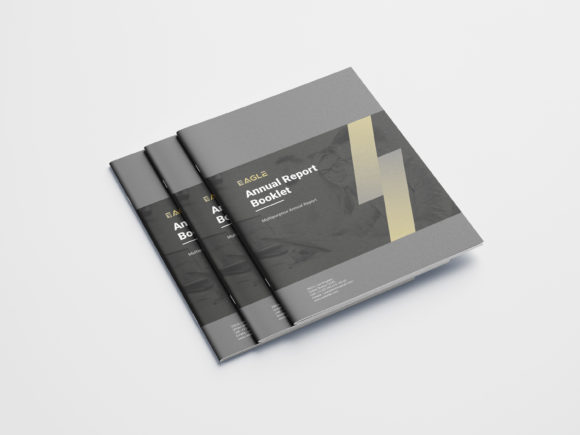
Finally, when you're satisfied, the included file formats (indd, indml, indt, pdf) give you flexibility. Use the InDesign files for final edits and the PDF for proofing or digital distribution. Remember, the mock-up files are for presentation only—they show you the booklet in a real-world context but aren't part of the editable template. By following this practical workflow, you transform a generic Booklet Design into a powerful, customized tool that effectively communicates your message and strengthens your brand identity.