Mastering Minimalist Presentation Design
In the world of business communication, clarity is currency. Whether you are pitching to investors, onboarding new clients, or presenting quarterly results, the visual framework of your slides dictates how your message is received. Minimalist Presentation Design is not merely about using fewer colors or leaving white space; it is a strategic approach to information hierarchy. It is the discipline of removing the unnecessary so the necessary can speak. When you strip away the decorative clutter—complex gradients, excessive bullet points, and busy backgrounds—you allow your audience to focus on what truly matters: the narrative and the data.
The Anatomy of a Minimalist Style
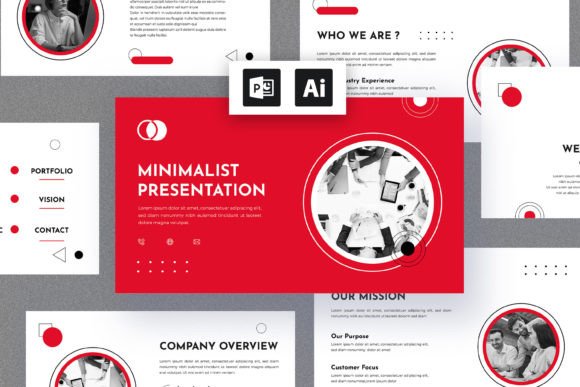
A minimalist presentation style relies on a few core pillars to achieve its impact. First, there is the typography. Usually, a minimalist presentation utilizes a clean sans serif font for body text to ensure legibility at various screen sizes, paired perhaps with a modern typography style for headers that commands attention without shouting. The personality of this design style is confident, sophisticated, and professional. It avoids the "clip art" look of older corporate templates in favor of high-quality imagery and subtle iconography.
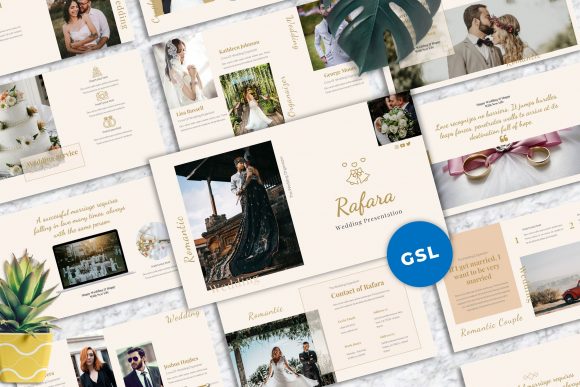
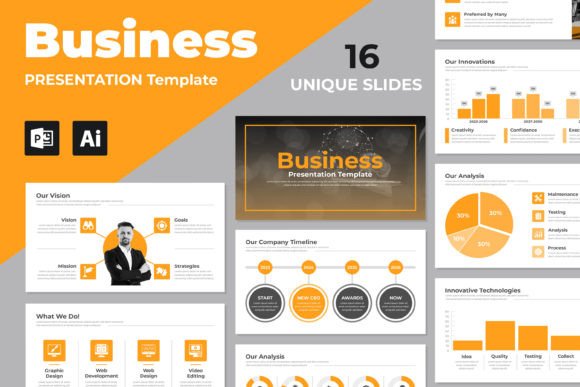
The visual characteristics often include a restricted color palette—perhaps a primary brand color paired with neutral greys or whites. This consistency aids in brand identity and recognition. When you use a template designed with these principles, such as the "Multipurpose Business Presentation Design," you are working with a premium font structure and layout that has already solved the visual logic problems for you. The appeal lies in its versatility; a minimalist slide deck can look just as appropriate in a creative agency pitch as it does in a boardroom financial review.
Strategic Applications and Visual Hierarchy
Understanding where and how to apply this design approach is crucial for marketing and branding success. A multipurpose business presentation is a powerful design asset because it adapts to different contexts without losing its professional sheen.
- Editorial and Content Creation: For bloggers and publishers, these layouts act as a skeleton for visual storytelling. You can use infographics and charts to break down complex data, making your content more digestible for social media sharing.
- Corporate and Pitch Decks: Entrepreneurs and small business owners benefit from the visual hierarchy that minimalist design enforces. It forces you to prioritize your key selling points, ensuring that investors or clients see the "ask" clearly.
- Digital and Web Design: The principles used in these presentations often mirror web design trends. Using a consistent theme helps bridge the gap between your slide deck and your website, reinforcing a cohesive digital presence.
The influence on audience engagement is significant. When slides are not overloaded, the presenter becomes the focal point. The slides support the speaker rather than competing with them. This dynamic approach ensures that whether you are presenting to a room of five or a conference of five hundred, the message remains impactful.
Choosing Your Toolkit: Fonts and Features
When selecting a presentation template, pay close attention to the typographic choices. A creative font selection can elevate a standard deck into a memorable experience. Look for templates that offer versatility in font pairing. For instance, a strong, geometric display font for titles can be balanced by a legible, open serif font or sans serif font for body text. While script fonts or handwritten fonts can add personality, use them sparingly in a business context to maintain professionalism.
Consider the technical aspects of the asset. Does it offer an Instant Download? Is it 100% editable? Flexibility is key. You want a template that allows you to change colors and swap out imagery easily to fit your specific brand identity. A well-constructed presentation file (like those in PPTX or EPS formats) ensures that your design renders correctly across different devices, preserving the readability and layout integrity you worked hard to create.
Practical Tips for Implementation
- Evaluate the Fit: Before purchasing, look at the slide structures. Does it accommodate the type of data you usually present? A mix of text-heavy slides and image-centric slides is ideal for a multipurpose approach.
- Test the Pairings: If the template includes a premium font, test it with your brand colors. Ensure the contrast ratios are high enough for readability in various lighting conditions.
- Maintain Coherence: Stick to the theme. It is tempting to mix and match styles, but the power of minimalist presentation design lies in its consistent rhythm. Use the provided layouts to guide the flow of your narrative.
Ultimately, the goal is to create a seamless experience. By leveraging a high-quality, minimalist template, you are not just buying slides; you are investing in a communication tool that enhances your credibility. It allows you to present complex ideas with simplicity and grace, ensuring your audience leaves with a clear understanding of your message and a positive impression of your brand. This is the essence of effective modern communication—stripping away the noise to let your business voice be heard.